Structure legacy
inLOGIC is built upon Oracle Database with the number of relational data tables. Understanding relationship between tables will help you maximize the performance of the system.
The Structure of inLOGIC
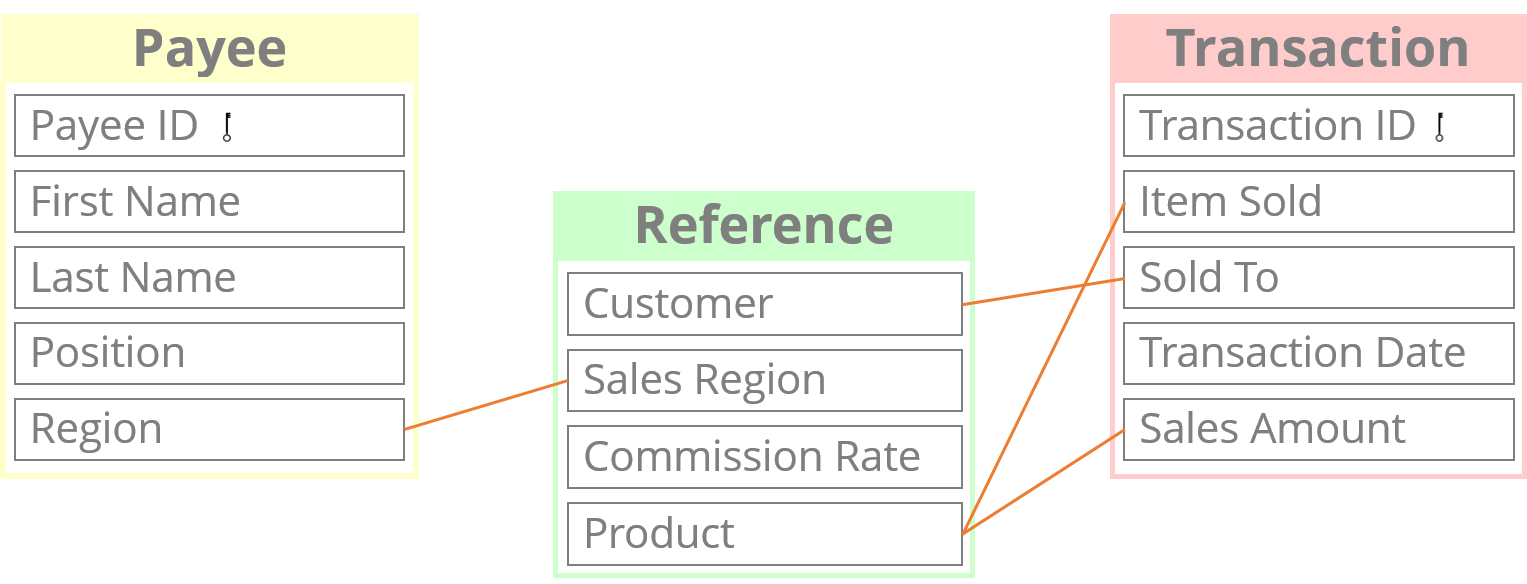
inLOGIC is comprised of a number of relational data tables upon Oracle Database. As you configure the entry tables such as Payee and Transaction, you can build relationships between those entities by writing compensation rules, or inserting values from another tables. As a result, the system draws a whole new set of tables to show you the outcomes of the calculation according to the relationship you have built.
By definition, a Relational Database is a set of tables that consist of series of columns and rows. And users store data and retrieve information from the table.
How to Use Tables
Let’s say you have sales reps, and you have designed a sales commission plan for their sales activities. If you only have a handful of sales reps, then it might be easy to calculate their commissions on a spreadsheet manually. However, when the number of sales reps increases, and their sales activities are going up, which every business hopes for, it quickly becomes impossible to manage and oversee all the transaction activities at a glance on a single spreadsheet.
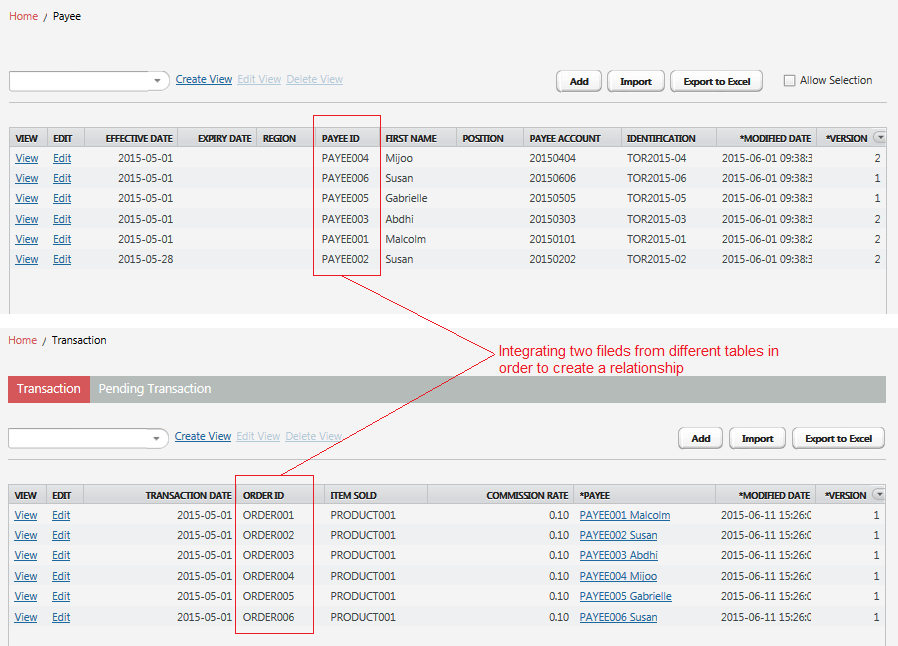
So, here in inLOGIC, you will need to create a Payee table to store information associated with individual payees. You will also need to create a Transaction table to collect your payees’ sales activities. Although not all the information stored in the table is commissionable factors, you may still need to collect such information in order to identify and distinguish them from one to another. In addition to Payee and Transaction, there are numerous tables that are created at the back of the system as you go along the way.
Through configuration, you are making your own entities in which you want to store information. When the tables are created, you are ready to input information into the system. There are many ways of entering data. You can manually enter an individual set of data, import a larger volume of data from a spreadsheet, or through automated data staging technology.
What to Do with Data
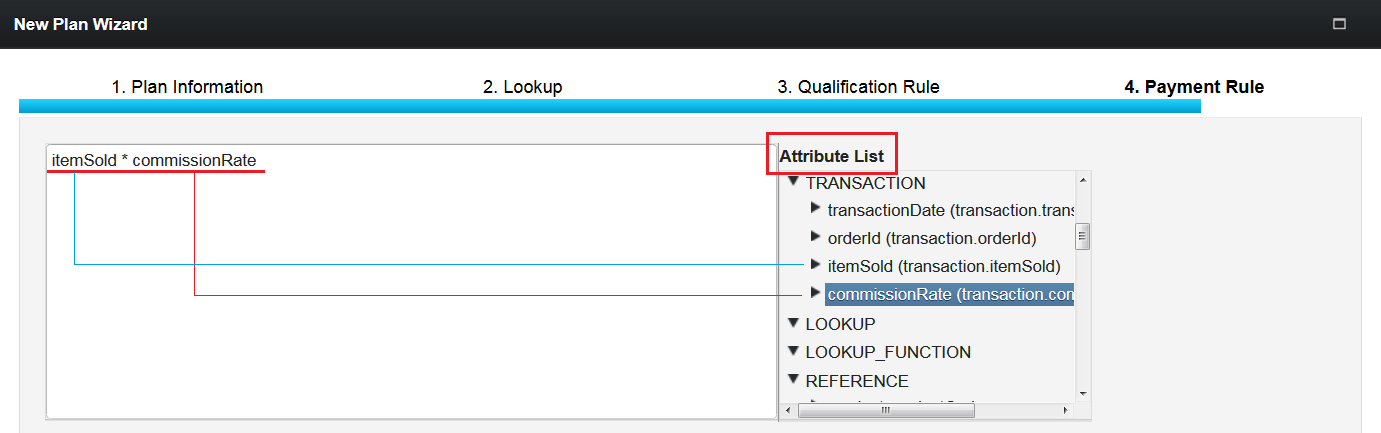
Information stored in Payee, Transaction, and Reference table can be used in Compensation Rule Writings in order to determine the amount of payouts. Each piece of data is called Attribute and most of them are potential candidates to become Commissionable Factors.
For example, if your sales compensation plan has been designed to pay a certain percentage of a sales amount, you can retrieve these specific information from the attribute list at a given stage, and formulate the rules using them.