Query & Search legacy
inLOGIC's Query & Search makes it easier for users to sort, filter, and search specific data. Users can create custom view by Payee, Transaction, or any other criteria.
Query vs. Search
Within inLOGIC, it is very simple and easy to look for specific values. It is particularly useful when you have a vast amount of data to deal with because it is nearly impossible to spot on a single value with naked eyes. Then, how is it different between Query and Search?
1. Search
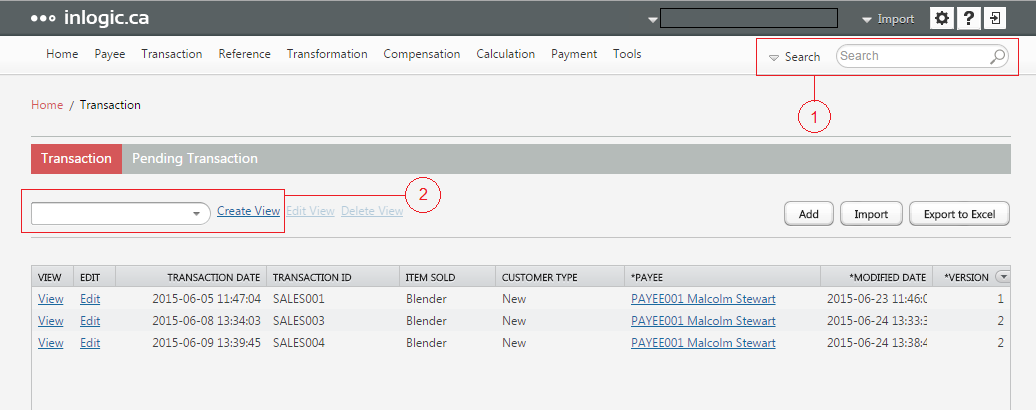
Let’s look into the Search feature first. inLOGIC’s Search allows you to look for certain values that are defined by users within Payee, Transaction and Reference modules. When you select the Search Type and hover your mouse over the search bar, the guide will fly out what type of data you can search for.
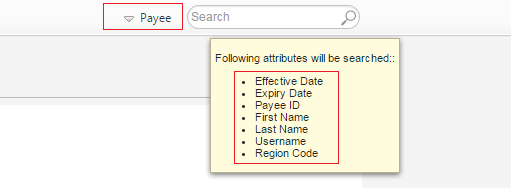
For example, if you select Payee as a Search Type, and type in one of the values that is searchable, the Payee page will display those rows that contain the value you are looking for.
Note
The search bar is not case sensitive, and it will also pick up partial keyword.
2. Query
Whereas Search allows you to filter large volumes of data by the keyword, Query makes it easy to execute more specific and narrowed-down search command. By creating a view, you can filter and sort data faster and more easily. For example, if you want to view data from a specific region, and selected data fields that are useful for you, you can create a custom view.
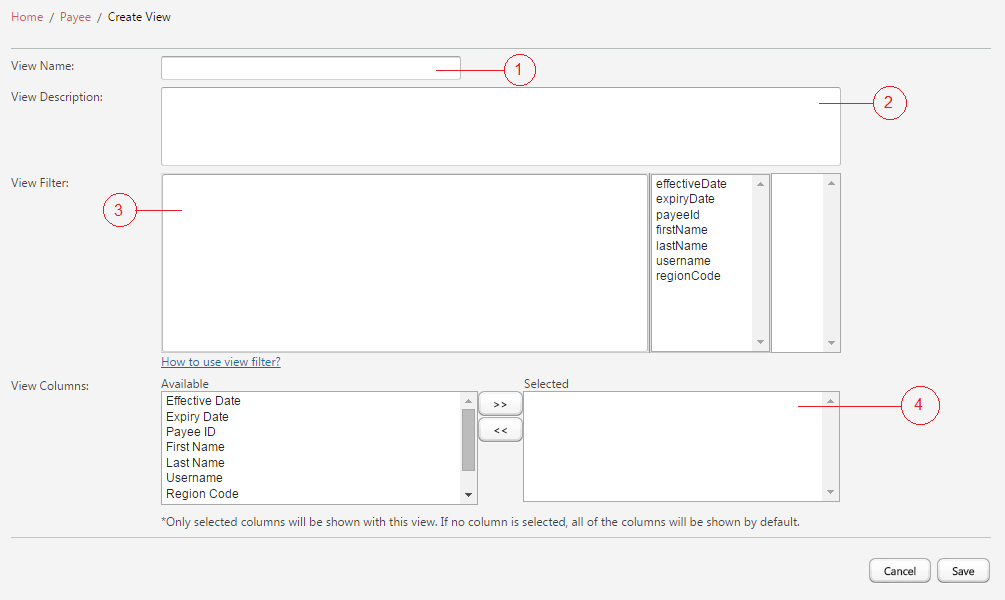
In order to create a view:
Click Create View link in Payee, Transaction or Reference.
① Define the Name of the view
- e.g., By Region
② Leave the description (optional)
③ Define View Filter – Select the column to filter by
- e.g., regionCode=="101"
④ Select columns - Move available column(s) to Selected box
- e.g., Payee ID and First Name
Click Save
TIP
Hold down Ctrl key on your keyboard in order to select multiple columns, and click >> button.
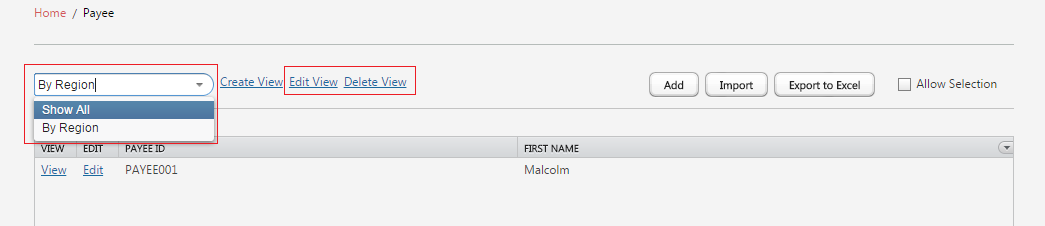
In the Payee page, you can toggle around views, and you can switch view to Show All at anytime. Also, you can Create more custom views as well as Edit or Delete existing views.