
Formula legacy
As a secondary method of triggering the measurement rules, it can be used to determine the type of the measurement.
What is Formula?
A Formula is a secondary measurement that are interdependent with the measurement you have created. Using formula, you can define how commissionable factors will be measured in further detail.
When you create a new Measurement, the system automatically plants a default formula, called sum. Unless the default formula is used in commission calculations, you can still edit the formula according to your business requirements. This can be found at the very bottom of the Measurement Detail page.
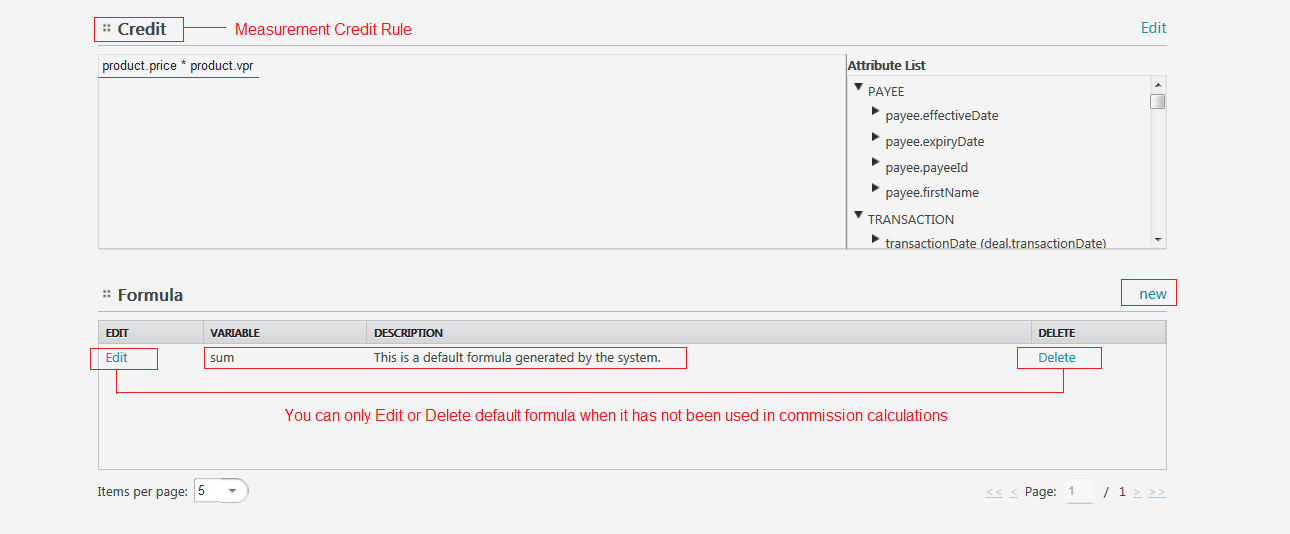
Create a New Formula
If you would like to create your own formula, you are more than welcome to do so. In order to create a new formula:
- Click New link and Formula Wizard will pop up.
Things to keep in mind...
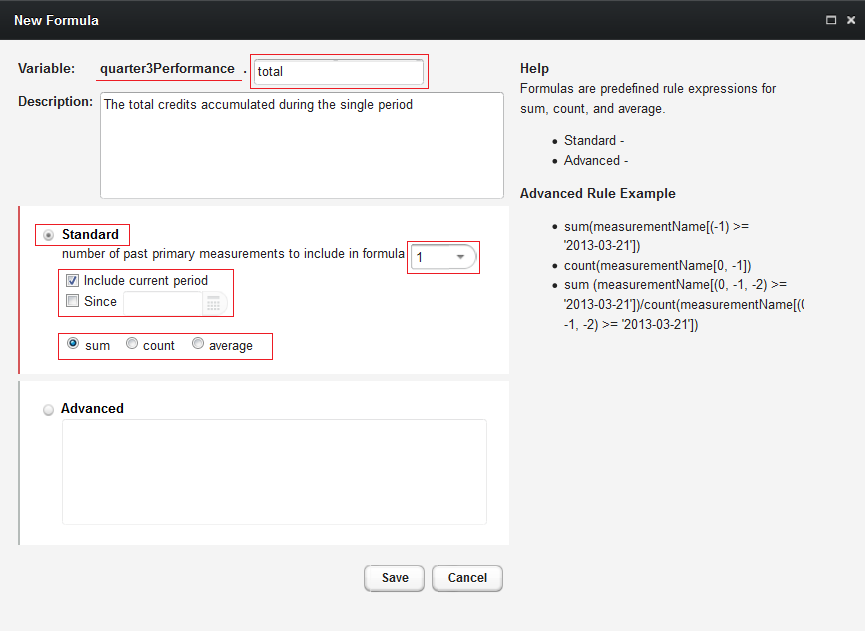
When filling out the New Formula Wizard, there are couple of things that you should keep in mind.
Formula Inherits the Measurement Variable Name
Since a formula is a secondary measurement, it always goes hand-in-hand with the measurement. So, its variable name should look like this:
measurementVariable.formulaVariableNote
When naming variables, don’t forget to use camel case
Standard vs. Advanced
Within inLOGIC, the most commonly used command in sales compensation such as sum, count and average have been built in. Users can just pick one of these options to apply to their formula. However, for advanced users with more complex compensation rules, inLOGIC leaves an option to create their own formulas using syntax that are permitted to use in the system.
Discrete vs. Cumulative
Whether you have discrete measures or cumulative measures determines how to define the formula.
By choosing the numbers of the past primary measurements, you can command the system how it should look at to measure the metric.
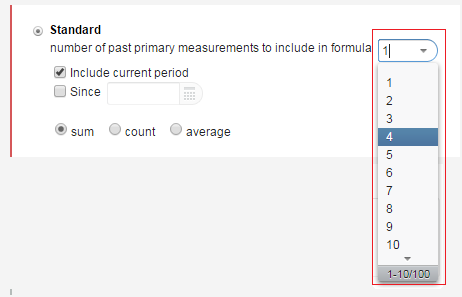
When the plan is discrete, for example, you are measuring the performance of a given period, and payout the commissions for that specific period. Also the credits earned will not affect the future earnings of your sales reps. In such cases, you may choose 1 from the list.
Meanwhile a cumulative formula is used when the past and the current sales activities will have an impact on the future earnings. For example, when you have a quarterly compensation period, and credits earned throughout all four quarters would increase or decrease the final payout amount, you may choose 4 from the list.
Sum, Count, or Average
Sum
With sum selected, if you run a calculation, this formula will be triggered and attempt to add up all the values that are drawn as a result of the credit rule that you have defined when creating a measurement.
Count
While sum adds up all the values derived from the credit rule, count commands the system to calculate how many credit-eligible sales activities are in there during the defined period.
Average
The formula average helps you obtain arithmetic mean of the values quickly and easily by dividing sum by count. By using average, you can avoid creating separate formulas in order to get sum and count.
Note
Formulas that are used in Plans will be triggered, and the results can be reviewed in Plan Detail Review pages.