
Measurement legacy
Measurement is used for gauging the progress of the performance of your sales force. It can be directly tied into their variable earnings.
What is Measurement?
As the name tells you, a measurement helps you measure the performance or the progress of any events surrounding your business. With a measurement, technically, you can measure anything and everything. For example, you can measure the amount of the total sales of your sales reps, or you can measure the number of transactions that your sales reps generated for a given period. And these metrics can be factored into the sales commission calculation.
The outcome drawn from a measurement is called, Credit. In some organizations, it may be referred to as Attainments, Points, or Gains. Because inLOGIC is so flexible in labeling the jargon, we kept it neutral so that everyone can utilize it according to their needs.
When do you need Measurement when creating a Plan?
If your sales compensation plan is designed to remit commission payment for individual’s overall performance for a given period of time, you will need to create a plan that is based on Measurements. Whereas a transaction-based plan takes each transaction into account when running a commission calculation during the life of your compensation plan, a measurement-based plan will yield the payout result at the end of every compensation period after carefully measuring the performance at individual, group, or territorial level. You can set the Quota using Lookup and compare the performance against the quota to determine whether the sales rep is eligible for commissions or not.
How to Use Measurement
In order to create a new measurement:
- Click Compensation from the top menu bar
- Click Detail link next to the Package
- Click New button at the top right hand corner of Measurement
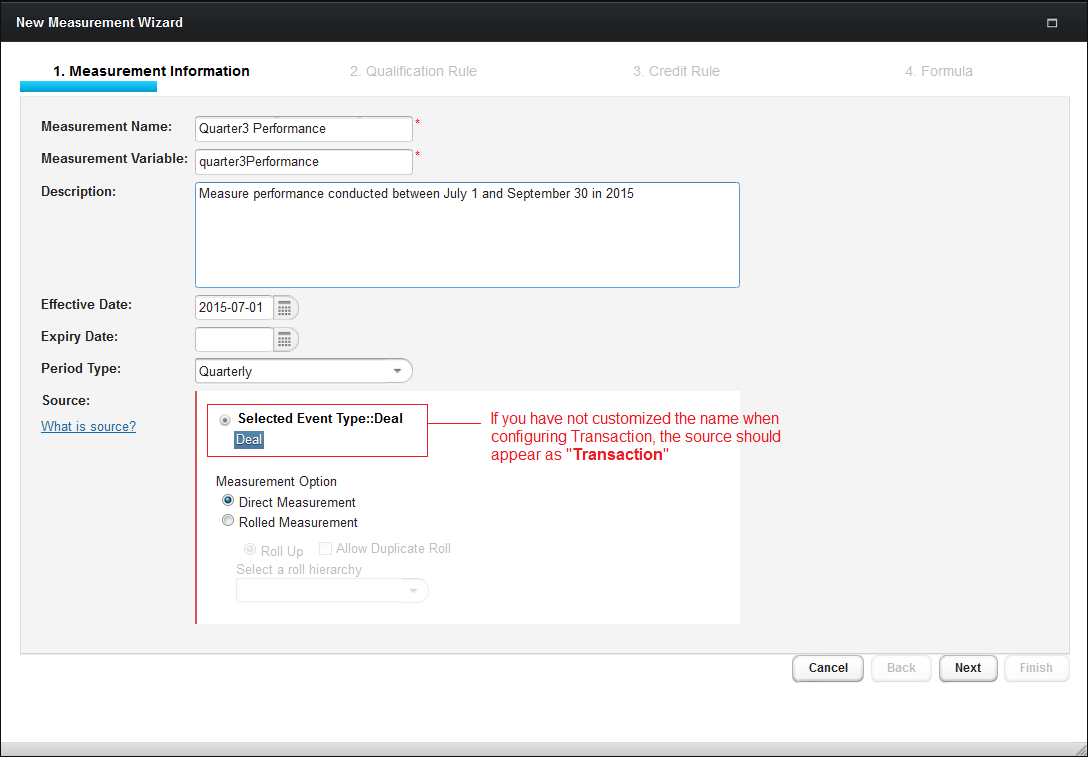
- When the wizard opens, fill out the form
💡 Note
Creating a Package should precede in order for you to create a new Measurement.
- Click Next button
- Set the Qualification and/or Reversal Condition, if applicable
- Click Next button to proceed
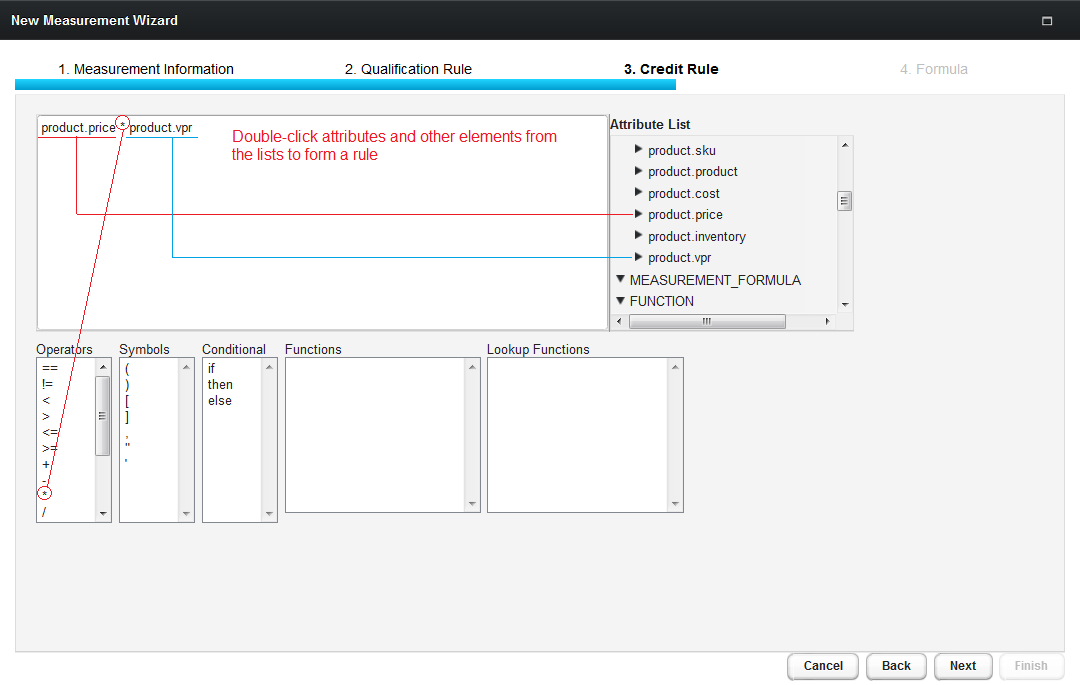
- Write a Credit Rule according to your sales compensation plan
- Click Next button to proceed
- Notice the default formula
sumhas been added - Click Finish button and return to Package Detail page
NOTE
Even though the default formula sum has been created, you can edit the formula, and also add more formulas if necessary.
⚠️ Warning
Once used in commission calculations, formulas cannot be deleted.
What is Formula?
A Formula is a secondary measurement that are interdependent with the measurement you have created. Using formula, you can define how commissionable factors will be measured in further detail.